


Products

.svg)


.svg)
Create a store that sells and stands out.

Updated March 2026
Creating a test order is often the first step merchants take after creating their store. You can attain a sample of your design through either of the following methods:
Method 1:
Method 2:
You can find information on how to create a promo code here:
https://www.gearlaunch.com/academy/how-to-create-a-promotion-code/
After your order is placed, it’ll be received automatically by GearLaunch and will move through the flow just like a regular order, sending you the same notifications your customers will see.
1. Optional Tipping
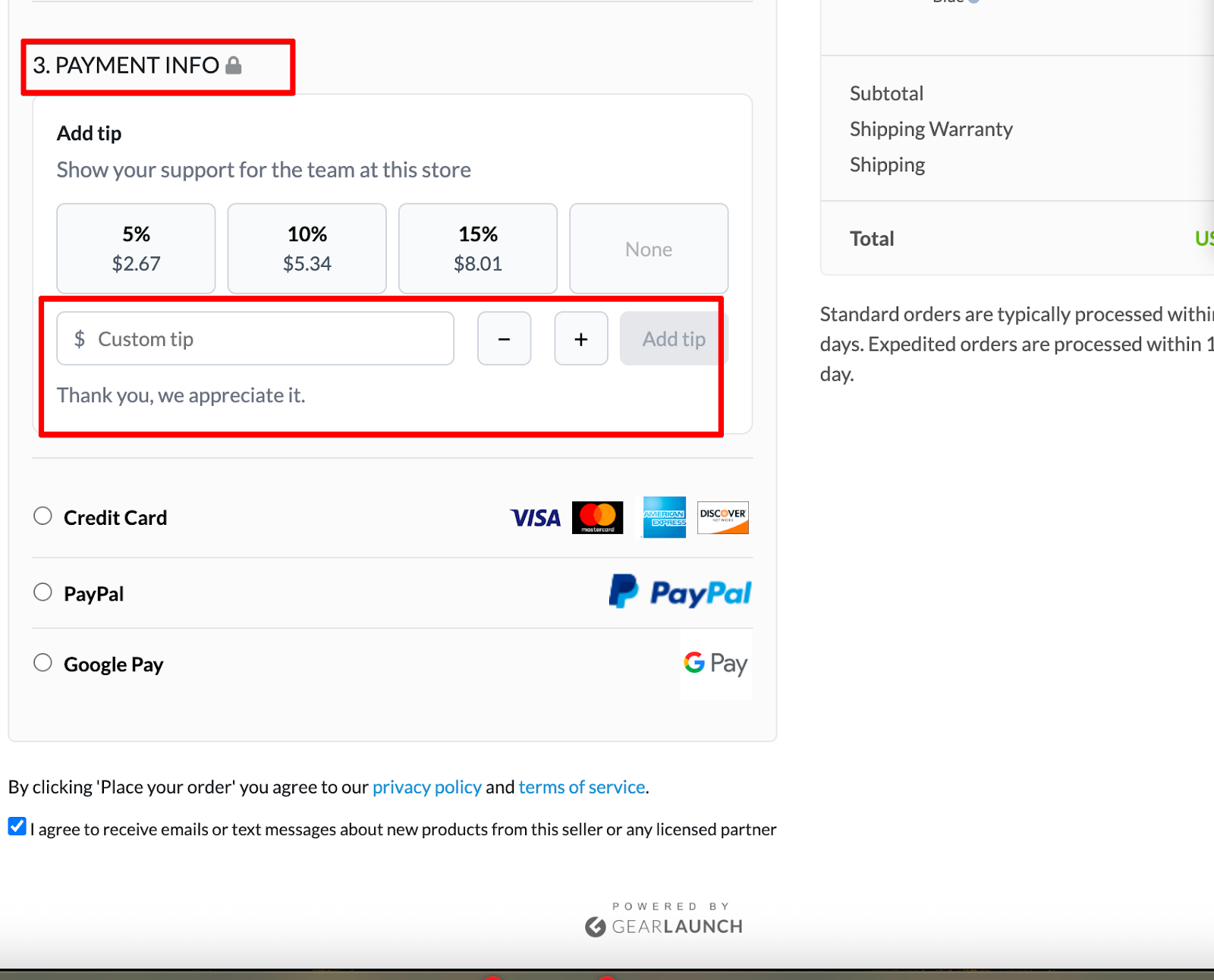
Customers can now add a voluntary tip during checkout to support your store.
- Predefined options (e.g., 5%, 10%, 15%) or custom amount
- Completely optional and does not affect product pricing
- Helps support sellers and improve overall experience
2. Google Pay (GPay)
Customers can now use Google Pay as a fast and secure checkout option, along with:
- Credit Card
- PayPal
- PayPal Pay Later
- Google Pay
This allows for a quicker checkout experience, especially on mobile devices.


.svg)
.svg)
.svg)